Why We Did It (And It Wasn't Just About Speed)
Like most companies, we started on WordPress. It was practical, fast to set up, and got the job done in the early days.
But over time, the cracks started showing.
Our designers kept hearing "that layout isn't possible in this theme." Our developers were drowning in plugin update notifications. Our site was getting slower with every content addition. And every time someone accidentally hit "Update WordPress," we held our breath.
Sound familiar?
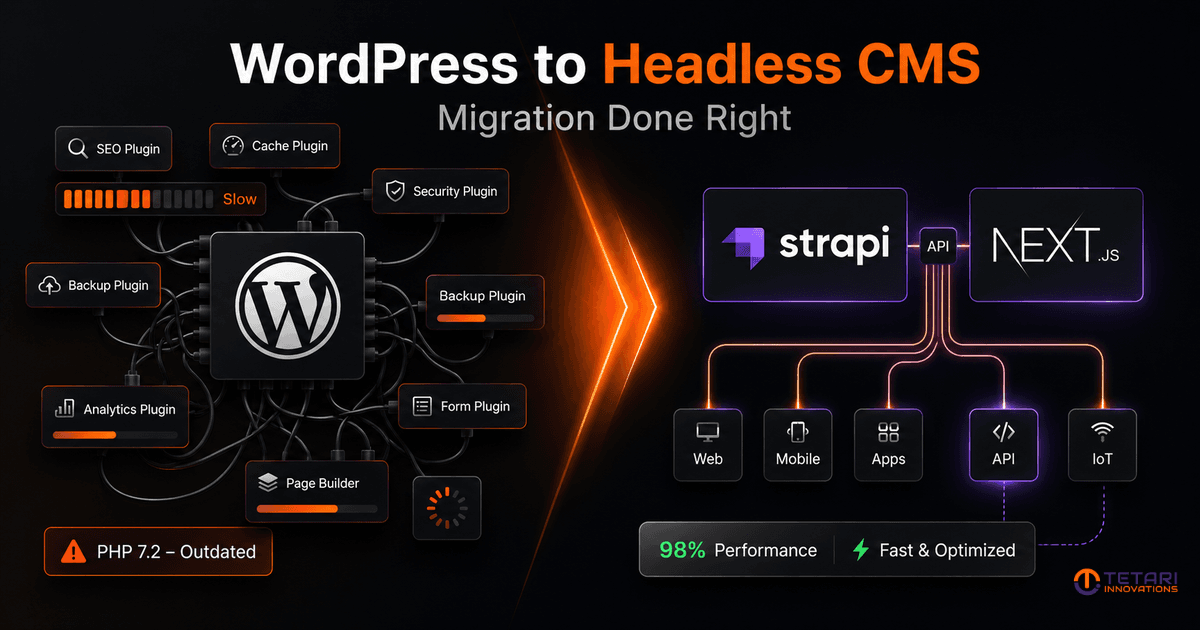
We migrated our own 150-page, content-heavy company website from WordPress to a headless CMS stack — Strapi on the backend, Next.js on the frontend. SEO preservation was requirement number one before we wrote a single line of code.
This post is about what we learned, what most teams get wrong, and honestly — whether this migration is even right for you.
The Real Problems With WordPress Nobody Talks About Honestly
Speed and design flexibility get all the attention. But here's what actually frustrated us day to day.
1. Exposing APIs to Other Internal Products is Painful
We build SaaS platforms and internal tools. Getting WordPress to talk cleanly to other systems is a hack job at best. With Strapi, our content is API-first by design — clean, documented, and ready to integrate with anything.
2. Designers and Developers Start Making Excuses
"That design can't be done in WordPress."
"That change will break the theme."
"We'd need a custom plugin for that."
Over time, WordPress becomes a ceiling on what your product and brand can actually look like.
3. The Longer You Stay, the Heavier It Gets
Every plugin you add, every content type you bolt on, every update you defer — it compounds. What starts as a clean install becomes a system nobody fully understands two years later.
4. One Accidental Upgrade Can Take Your Site Down
Plugin version conflicts, theme incompatibilities, PHP version mismatches. We've seen it. Clients have called us in a panic over it. It's a real risk that grows silently over time.
5. You Don't Own Your Admin Experience
WordPress gives you its interface and you adapt to it. With a headless setup, your content team gets a clean, modern admin panel built around how they actually work — not around what WordPress decided in 2005.
What We Migrated To — And Why
Stack: Strapi + Next.js, hosted on our own infrastructure with full control.
Here's why this stack made sense:
- Strapi — Clean REST and GraphQL API, flexible content types, genuinely good admin UI. No plugin dependency hell.
- Next.js — Static generation for performance, server-side rendering where needed, pixel-perfect design with zero compromise.
- Full customisation — Our team iterates on design rapidly without fighting a theme system. Any layout, any component, any time.
How We Protected SEO From Day One
This is where most migrations go wrong. Teams focus on the build and treat SEO as a post-launch checklist. That's backwards.
Here's what we locked in before go-live:
URL Structure — Preserved Exactly
Every existing URL with traffic or ranking value was kept identical. No restructuring, no "cleaner" slugs. If it ranked, it stayed.
Redirects — Planned, Not Patched
Pages we intentionally removed were mapped to redirects before launch. Nothing was left as a 404 that used to be indexed.
Meta Tags and Structured Data — Rebuilt Properly
Every page got its own title, description, and OG tags via Next.js head management. No plugin dependency. Full control.
Sitemap and robots.txt — Generated and Verified
Submitted fresh to Google Search Console on launch day. Monitored closely for the first two weeks.
Forms — Tested End to End
Contact forms, lead capture, everything. Broken forms on launch day are a silent conversion killer that most teams miss entirely.
Staging vs Production — Compared Manually
We ran a full page-by-page audit before go-live. Every critical page checked individually — not just automated scans.
The Outcome
After migration, here's where we landed:
- SEO scores 95%+ across all parameters on Google Lighthouse
- Page speed significantly improved — visible difference, not just in numbers
- Zero broken rankings post-launch
- Design iteration speed went from days to hours
- Clean API layer connecting content directly to our internal systems
- Developer excuses — eliminated
What Most Teams Get Wrong
We've spoken to companies who attempted this migration and had painful experiences. The pattern is consistent:
- No SEO audit before starting — no baseline, nothing to compare against
- Changing URL structures thinking it will be cleaner — losing rankings overnight
- Forgetting forms — broken contact forms go unnoticed for weeks
- Skipping staging comparison — building and going live, then fixing in production
- Checking Lighthouse after launch — by then the damage is done
The migration itself is not hard. The discipline around it is.
Is This Migration Right For You?
Honest answer: not for everyone.
This Makes Sense If:
- Your business is scaling and your website is becoming a bottleneck
- Your designers are regularly told "that's not possible in WordPress"
- You have internal products or tools that need to consume your content via API
- You want full control over performance, design, and infrastructure
- You're ready to treat this as a strategic investment, not a quick fix
Skip It If:
- You have a small site with low traffic and no integration requirements
- Your team has no capacity to manage a modern deployment pipeline
- You're looking for the cheapest option to just get it done
This is not a cost-cutting move. It's a scaling move. The companies who benefit most are the ones already feeling constrained — and ready to stop being constrained.
Final Thought
We did this on our own website first — not a client's. That decision alone taught us more than any tutorial could. We know exactly what breaks, what to watch, and how to protect what matters.
If your team is at the point where WordPress is becoming a ceiling rather than a foundation, we're happy to have a straight technical conversation about whether this move makes sense for you.
No pitch. Just an honest scoping discussion.
Ready to talk about your migration?
Reach out for a free 30-minute technical scoping call. We'll assess your current setup, identify the risks, and tell you honestly whether this move is right for you — no commitment required.